
Most studio owners pick gym software the way they pick a new phone: by whatever looked best in the demo. A better way is to start with the member. How do they join, pay, book a class, walk through the door and, eventually, renew? Good software makes each of those steps easier for them and for your team.
This guide is for owners of small studios and gyms in the USA: boutique class studios, CrossFit boxes, personal training studios and small open-access gyms. It walks through eight steps for choosing gym management software, with questions to ask before you sign anything.

The eight steps in this guide
Step 1: Map your member journey
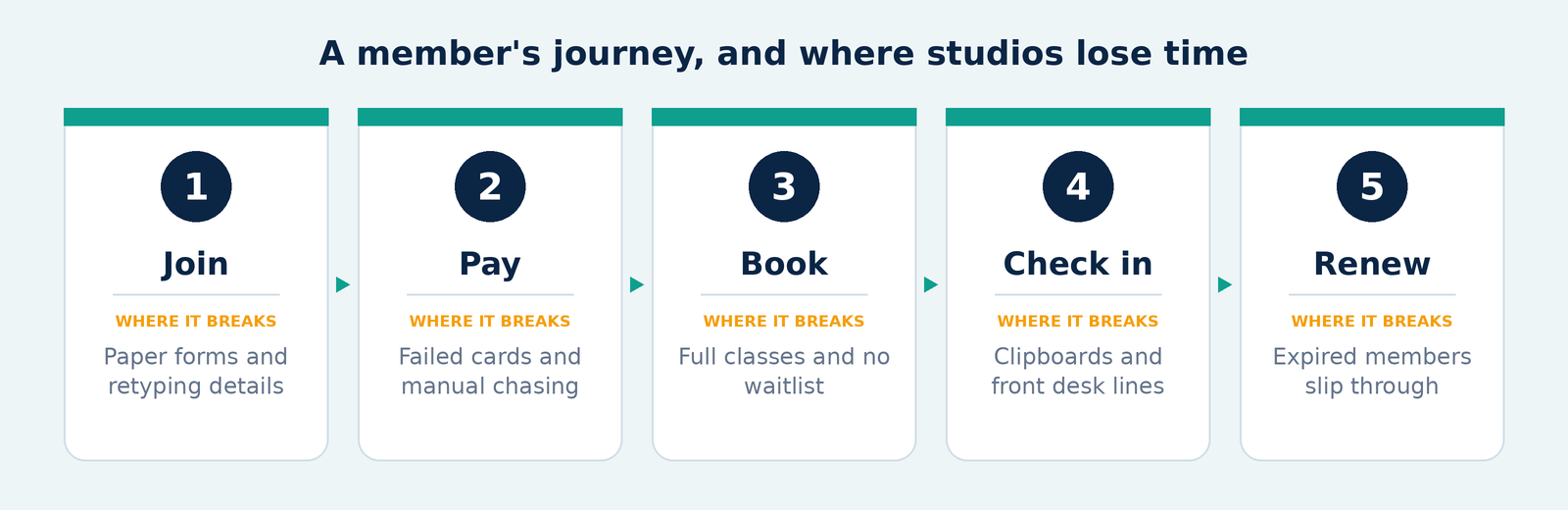
Before you compare software, write down what happens from the first inquiry to the renewal. Most studios follow five stages:
- Join. A new member signs up and gives their details.
- Pay. They choose a plan, a class pack or a drop-in, and you collect payment.
- Book. They reserve a class or a session, or join a waitlist.
- Check in. They arrive, and someone (or something) confirms they're allowed in.
- Renew. Their plan continues, changes or ends.
Step 2: Match the software to your studio type
| Your studio | What matters most |
|---|---|
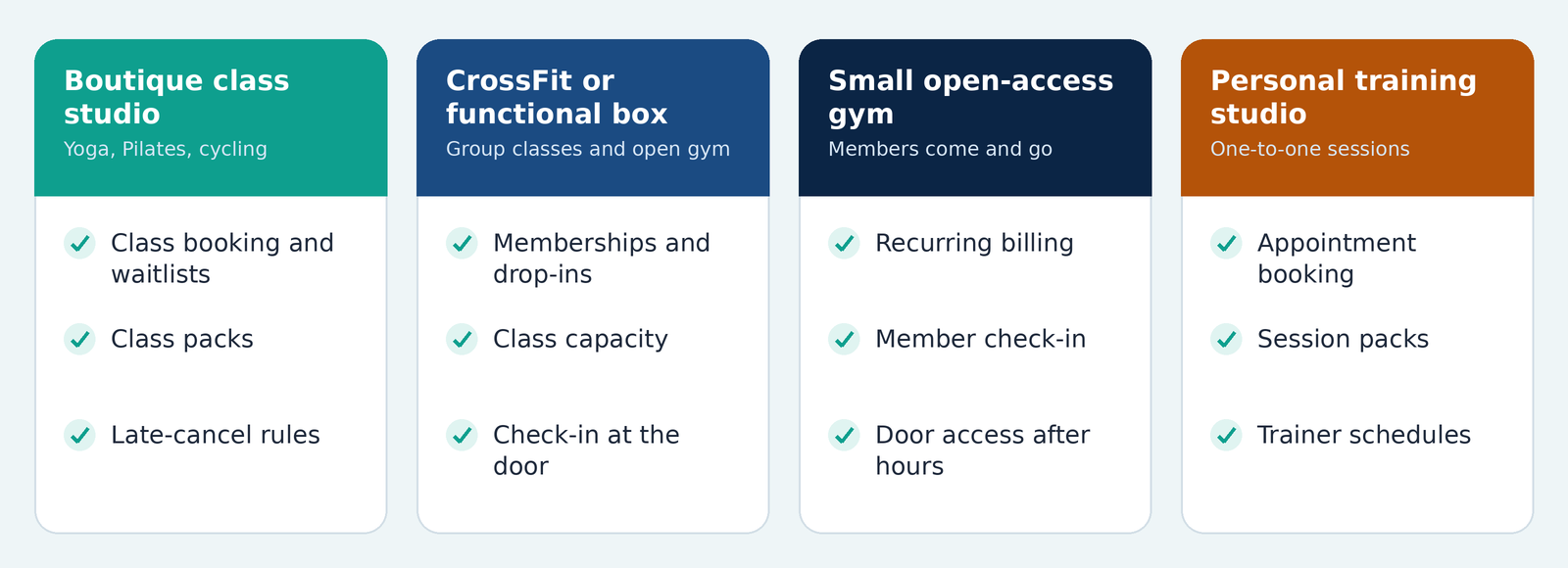
| Boutique class studio (yoga, Pilates, cycling) | Class booking, waitlists, class packs, late-cancel rules |
| CrossFit or functional fitness box | Memberships, drop-ins, class capacity, check-in at the door |
| Small open-access gym | Recurring billing, member check-in, door access outside staffed hours |
| Personal training studio | One-to-one appointments, session packs, trainer schedules |
Many studios are a mix. A box that also runs open gym hours, for example, needs class booking and door access. Note which row (or rows) describes you; it narrows the list quickly.
Step 3: Sort features into "need" and "nice to have"
Usually needed
- Membership plans with recurring billing
- Class or appointment booking
- Member check-in
- Member records and notes
- Reports on active members, attendance and revenue
Nice, depending on your studio
- A member app or branded app
- Digital waivers and agreements at sign-up
- Door access integration
- Email or text reminders
- Retail or front-desk sales
- Staff scheduling
Often unnecessary at first
- Features built for multi-location chains, if you run one studio
- Marketing tools you won't use in your first year
Step 4: Cloud-based or installed: what changes day to day
Cloud-based gym management software runs on the provider's servers, and you use it through a browser or an app. Installed software runs on a computer at your studio. For a small studio, the difference shows up in daily work:
| Question | Cloud-based | Installed on your computer |
|---|---|---|
| Where can I use it? | Any device with internet, including a phone | Usually one front-desk computer |
| Who handles updates? | The provider | You |
| Who handles backups? | Usually the provider; ask how | You |
| What if the internet drops? | Depends on the product; ask | Usually keeps working locally |
| Can I check in from home? | Yes, with a login | Usually not |
Most small studios prefer cloud-based software because owners can check memberships from anywhere and nobody has to maintain a server. Two questions are worth asking either way:
- What can my staff still do if the internet is down on a busy morning?
- If I leave, how do I export my member data?
Step 5: Check billing, check-in and door access
Billing
- How are members charged: monthly by card or bank draft, one-time packs, drop-ins?
- What happens when a payment fails: automatic retries, a notice to the member, class booking paused?
- Can you freeze, pause or cancel a membership without manual workarounds?
- Who owns the payment account, and what are the processing fees?
Check-in and door access
Front-desk check-in works when someone is always at the desk. If members arrive at 5 a.m. or during unstaffed hours, check-in has to happen on its own. Common options:
- Self check-in on a tablet or by QR code
- A member card or key fob at the door
- A fingerprint or face reader
The key question is whether the door follows the membership: when a plan expires or a payment fails, does the door stop opening?
VertiLinks also supplies access control software, biometric terminals and ID card printers for member cards.
Step 6: How to read "best gym management software" lists
Rankings are a starting point, not an answer. A list built for 50-location chains won't help a six-person studio. When you read one, ask:
- Who was it written for: small studios or large clubs?
- Is it written by a vendor, and does it explain how products were tested?
- Does it show pricing, or only feature lists?
Take the two or three that fit, then test them against your own journey notes from Step 1.
Step 7: Questions to ask in every demo
- Can you show a new member joining and paying, start to finish?
- How do I set up a monthly plan, a class pack and an intro offer?
- What happens when a payment fails?
- How do members book, cancel and join a waitlist?
- Which reports can I see without exporting to a spreadsheet?
- Can you move my existing members and payment history over, and who does it?
- How do members get in the door, and can access follow membership status?
- Who do I call when something breaks on a busy morning?
Step 8: Plan the switch and run a short pilot
If you're moving from spreadsheets or another system
- Export your member list, active plans and remaining class packs.
- Remove duplicates and expired members before importing.
- Ask who handles the import and how long it takes.
- Run the old and new systems side by side for a week, if you can.
- Tell members what is changing, and when.
Run a 30-day pilot
Start with one class type or one plan. Measure:
| 01 | 02 | 03 |
|---|---|---|
| Time to sign up a new member | Failed payments recovered | Front-desk questions per day |
Move every class and plan over only when those numbers look good.
Mistakes to avoid
- Choosing on features instead of your member journey
- Paying for chain-level features you won't use
- Not asking how to export your data
- Leaving billing questions until after you sign
- Switching systems during your busiest month
Ready to compare?
Frequently Asked Questions
Everything you need to know before making a decision.